
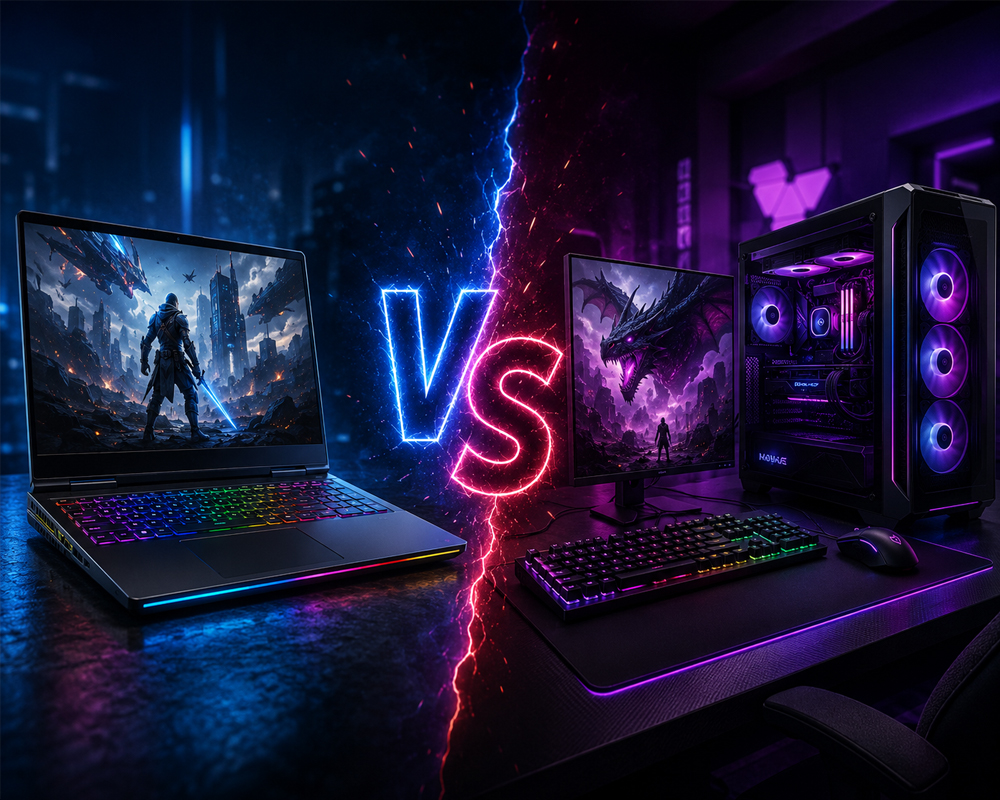
Choosing between a gaming laptop and a gaming desktop is one of the most important decisions for any gamer. Both options can deliver excellent gaming performance, but they are designed for different users, budgets, and lifestyles.
A gaming laptop offers portability, convenience, and an all-in-one setup, while a gaming desktop generally provides better performance, easier upgrades, improved cooling, and greater value for money.
So, which one should you choose? This guide compares gaming laptops and gaming desktops based on performance, price, portability, upgradability, cooling, and long-term value to help you make the right decision.
Gaming Laptop vs Gaming Desktop: Quick Comparison
Gaming Laptop vs Gaming Desktop: Quick Comparison
| Feature | Gaming Laptop | Gaming Desktop |
| Portability | Excellent | Limited |
| Gaming Performance | Good to excellent | Excellent |
| Upgrade Options | Limited | Extensive |
| Cooling | More restricted | Better airflow and cooling |
| Price-to-Performance | Usually higher cost | Better value |
| Space Required | Minimal | Requires a dedicated setup |
| Battery Operation | Available | Requires constant power |
| Customisation | Limited | Highly customisable |
| Repairability | More difficult | Easier |
| Long-Term Lifespan | Moderate | Generally longer |
What Is a Gaming Laptop?
A gaming laptop is a portable computer built with powerful hardware capable of running modern games. Unlike a standard laptop, it usually includes a dedicated graphics card, a high-refresh-rate display, improved cooling, faster memory, and performance-focused processors.
Gaming laptops combine the computer, monitor, keyboard, speakers, webcam, battery, and wireless connectivity into one compact device. This makes them ideal for gamers who travel, study, work from different locations, or do not have enough space for a complete desktop setup.
Modern gaming laptops can run popular games at high settings and are also suitable for video editing, graphic design, 3D rendering, streaming, and other demanding tasks.
What Is a Gaming Desktop?
A gaming desktop is a full-sized computer designed specifically for gaming and high-performance workloads. It normally includes a separate PC case, monitor, keyboard, mouse, and other accessories.
Gaming desktops offer more space for powerful components, larger cooling systems, multiple storage drives, and future upgrades. Users can select individual parts such as the processor, graphics card, RAM, motherboard, power supply, case, and cooling system.
For gamers who want maximum performance, customisation, and long-term value, a gaming desktop is usually the stronger choice.
1. Gaming Performance
Performance is one of the biggest differences between a gaming laptop and a gaming desktop.
Gaming Desktop Performance
Gaming desktops usually deliver better performance because they can use full-sized processors and graphics cards with higher power limits. Their larger cases also provide better airflow, allowing components to maintain high speeds for longer periods.
A well-built gaming desktop can provide:
- Higher frame rates
- Better performance at 1440p and 4K resolution
- More stable performance during long gaming sessions
- Better ray-tracing performance
- More options for high-end graphics cards
- Improved performance for streaming and content creation
Desktop graphics cards are generally more powerful than laptop versions with similar names because desktop components can consume more power and use larger cooling systems.
Gaming Laptop Performance
Gaming laptops have improved significantly and can run most modern games smoothly. However, their compact design limits cooling and power consumption.
Two gaming laptops with the same graphics card name may also perform differently depending on their cooling system and graphics power settings. Therefore, buyers should look beyond the model name and review the laptop’s complete specifications.
Winner for performance: Gaming desktop
2. Portability and Convenience
Portability is where gaming laptops have the biggest advantage.
A gaming laptop can be carried to the office, university, gaming events, client meetings, or while travelling. You only need the laptop and its charger to start gaming or working.
A gaming desktop requires a permanent setup with a monitor, cables, keyboard, mouse, speakers, and power supply. Moving the complete system regularly can be difficult and may increase the risk of damaging components.
A gaming laptop is a better option for:
- Students
- Frequent travellers
- Professionals working from different locations
- Gamers living in smaller rooms or apartments
- Users who need one computer for work and gaming
- People who attend LAN gaming events
Winner for portability: Gaming laptop
3. Price and Value for Money
Gaming desktops normally provide better performance for the same budget.
When buying a gaming laptop, you are paying for a compact design, built-in display, keyboard, battery, speakers, webcam, and specialised cooling system. These features increase the price.
A gaming desktop allows you to spend more of your budget on the processor and graphics card. It can therefore provide higher frame rates and better gaming performance at a similar price.
However, remember that a desktop setup may also require additional purchases, including:
- Gaming monitor
- Keyboard
- Mouse
- Headset or speakers
- Desk and chair
- Wi-Fi or Bluetooth adapter, if not built in
A gaming laptop includes most of these basic features, although many gamers still prefer to connect an external gaming mouse, keyboard, and monitor.
Winner for price-to-performance: Gaming desktop
4. Upgrade Options
Upgradability is another major advantage of gaming desktops.
Desktop users can usually upgrade or replace:
- Graphics card
- Processor
- RAM
- Storage drives
- Power supply
- Cooling system
- Motherboard
- Case fans
- PC case
This means you do not always need to replace the entire computer when performance requirements increase. You may only need to upgrade the graphics card, add more RAM, or install a faster SSD.
Gaming laptops offer fewer upgrade options. Most models allow users to upgrade RAM and storage, but the processor and graphics card are usually permanently attached to the motherboard.
Some thin gaming laptops may also have soldered RAM, making future upgrades even more limited.
Winner for upgradability: Gaming desktop
5. Cooling and Temperature Management
Gaming components generate significant heat, especially during long gaming sessions.
Gaming desktops have larger cases, bigger fans, tower air coolers, liquid cooling systems, and more space for airflow. This helps maintain lower temperatures and consistent performance.
Gaming laptops use compact cooling systems with smaller fans and heat pipes. Under heavy loads, they can become hot and noisy. Some laptops may reduce performance temporarily to control temperature, a process known as thermal throttling.
Laptop users can improve cooling by:
- Using the laptop on a hard, flat surface
- Cleaning the cooling vents regularly
- Using a quality laptop cooling pad
- Keeping the room properly ventilated
- Avoiding blocked air vents
- Selecting balanced performance modes when maximum power is unnecessary
Winner for cooling: Gaming desktop
6. Display Experience
Gaming laptops include a built-in display, making them convenient from the moment they are switched on. Many models now offer Full HD, QHD, and high-refresh-rate screens.
However, laptop displays are usually smaller, commonly ranging from 15 to 18 inches.
A gaming desktop allows users to choose from a much wider selection of monitors, including:
- 24-inch and 27-inch gaming monitors
- Ultrawide monitors
- 1440p displays
- 4K gaming monitors
- High-refresh-rate monitors
- Curved displays
- Dual-monitor setups
- Professional colour-accurate screens
A larger monitor can provide a more immersive experience and improve productivity for editing, streaming, and multitasking.
Gaming laptops can also connect to external monitors, but this increases the size and cost of the setup.
Winner for display flexibility: Gaming desktop
7. Space Requirements
A gaming laptop requires very little space. It can be used on a small desk and stored away when it is not needed.
A gaming desktop requires enough room for the PC case, monitor, keyboard, mouse, cables, and accessories. Larger gaming cases and multiple monitors require even more space.
For users living in shared accommodation, smaller apartments, or rooms without a dedicated gaming area, a laptop may be more practical.
Winner for limited spaces: Gaming laptop
8. Battery Life and Power Consumption
Gaming laptops include built-in batteries, but demanding games can drain the battery quickly. For the best performance, gaming laptops should normally be connected to the charger.
When running on battery power, many laptops automatically reduce processor and graphics performance to extend battery life.
Gaming desktops consume more power overall and cannot operate without a constant electricity supply. However, they are designed to deliver maximum performance without battery-related restrictions.
A laptop is still more useful during short power interruptions or when you need to complete basic work away from a wall socket.
Winner for battery-powered use: Gaming laptop
9. Repair and Maintenance
Gaming desktops are generally easier to repair. Individual components can be removed, tested, replaced, or upgraded without replacing the entire system.
If a desktop power supply, graphics card, RAM module, or storage drive fails, the affected part can usually be replaced separately.
Gaming laptop repairs can be more complicated. Internal components are tightly packed, and many major parts are integrated into the motherboard. A failure involving the motherboard, processor, or graphics chip can be expensive to repair.
Both systems require regular maintenance, including dust removal, software updates, driver updates, storage management, and temperature monitoring.
Winner for repairability: Gaming desktop
10. Customisation and Appearance
Gaming desktops provide almost unlimited customisation options. Users can choose the case design, RGB lighting, cooling system, cable extensions, fans, internal display panels, and component layout.
You can build a clean professional workstation, a colourful RGB gaming setup, or a compact performance PC based on your preferences.
Gaming laptops offer fewer physical customisation options. You may be able to adjust RGB keyboard lighting or add accessories, but the core design cannot be changed.
Winner for customisation: Gaming desktop
Who Should Buy a Gaming Laptop?
A gaming laptop is the better choice when you:
- Frequently travel or move between locations
- Need one computer for gaming, work, and study
- Have limited desk or room space
- Attend gaming events or LAN parties
- Prefer an all-in-one system
- Do not plan to upgrade major components
- Need a computer that can operate on battery power
- Want to connect your gaming system easily to different displays
A gaming laptop is especially useful for students, freelancers, travelling professionals, and gamers who value flexibility more than maximum performance.
Who Should Buy a Gaming Desktop?
A gaming desktop is the better choice when you:
- Want the highest gaming performance
- Play games at 1440p or 4K resolution
- Need high frame rates for competitive gaming
- Plan to upgrade components in the future
- Want better cooling and quieter operation
- Need a powerful system for streaming or video editing
- Prefer a larger monitor or multi-monitor setup
- Want maximum performance for your budget
- Have a dedicated gaming or office space
A desktop is ideal for serious gamers, streamers, content creators, and users who want a system that can be upgraded over several years.
Can a Gaming Laptop Replace a Desktop?
A powerful gaming laptop can replace a desktop for many users. It can handle gaming, office work, streaming, video editing, and daily productivity.
You can also create a desktop-like setup by connecting the laptop to:
- An external monitor
- A gaming keyboard
- A gaming mouse
- Speakers or a headset
- A laptop stand
- A docking station
However, a laptop may still offer lower performance, higher temperatures, and fewer upgrade options than a similarly priced desktop.
Which Is Better for Streaming and Video Editing?
Both systems can handle streaming and video editing, but a gaming desktop is generally better for demanding professional workloads.
A desktop can support more RAM, larger storage drives, stronger processors, powerful graphics cards, and improved cooling. It is also easier to upgrade as software requirements increase.
A gaming laptop remains a good choice for editors and creators who frequently work from different locations. Models with powerful processors, dedicated graphics cards, sufficient RAM, and colour-accurate displays can provide excellent performance.
For serious video editing, consider at least:
- A modern multi-core processor
- A dedicated graphics card
- 16GB RAM minimum
- 32GB RAM for heavier projects
- A fast NVMe SSD
- A high-quality colour-accurate display
Gaming Laptop vs Gaming Desktop: Final Verdict
There is no single option that is best for everyone.
Choose a gaming laptop when portability, convenience, and limited space are your main priorities. It provides a complete gaming and work setup in one portable device.
Choose a gaming desktop when performance, upgradability, cooling, customisation, and long-term value are more important. For most dedicated gamers, a desktop offers better performance for the money.
Before buying, consider where you will use the computer, which games you want to play, your preferred resolution, your budget, and whether you plan to upgrade the system later.
Find the Right Gaming PC or Laptop at Hextech Computers
Hextech Computers offers gaming laptops, custom gaming PCs, computer components, monitors, accessories, and upgrade solutions for gamers across the UAE.
Whether you need a portable gaming laptop, a powerful desktop PC, or a fully customised gaming setup, our team can help you select the right specifications according to your games, performance requirements, and budget.
Explore the latest gaming products and build your ideal setup with Hextech Computers UAE.
Frequently Asked Questions
Is a gaming desktop more powerful than a gaming laptop?
In most cases, yes. Gaming desktops can use higher-powered processors and graphics cards with better cooling, resulting in stronger and more consistent performance.
Do gaming laptops last as long as desktops?
A quality gaming laptop can last several years, but desktops generally have a longer useful life because their components are easier to upgrade, repair, and replace.
Can I upgrade a gaming laptop?
Most gaming laptops allow storage and RAM upgrades. However, the processor and graphics card are usually not upgradeable.
Is a gaming laptop good for professional work?
Yes. Gaming laptops are suitable for video editing, graphic design, programming, architecture, 3D work, and other demanding professional applications.
Is a gaming desktop cheaper than a gaming laptop?
A desktop usually offers better performance at the same price. However, the total desktop cost may increase when you add a monitor, keyboard, mouse, speakers, and other accessories.
Which is better for competitive gaming?
A gaming desktop is usually better for competitive gaming because it can provide higher frame rates, lower temperatures, and greater support for high-refresh-rate monitors.
Can I connect a gaming laptop to a monitor?
Yes. Most gaming laptops support external monitors through HDMI, DisplayPort, or USB-C. This allows you to use a larger screen while keeping the portability of a laptop.
Leave a comment