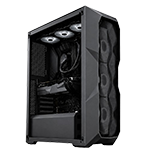
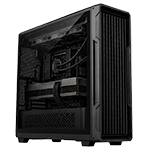
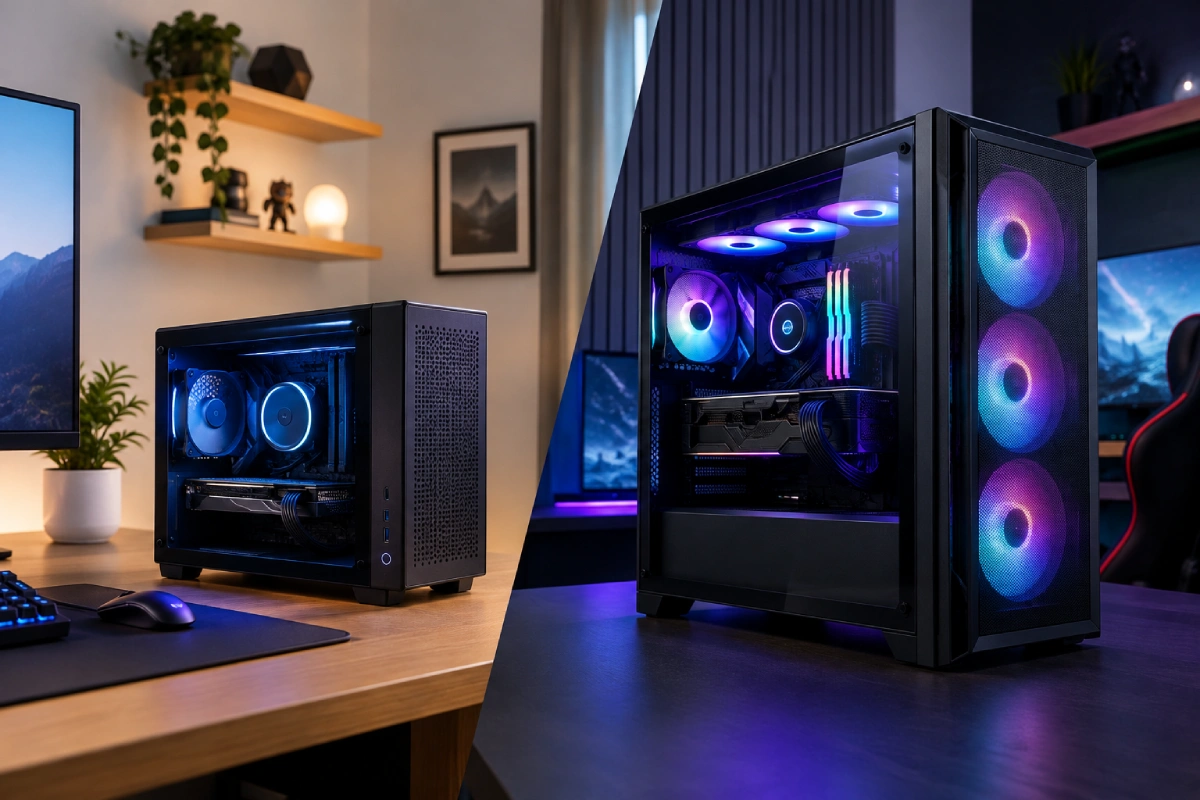
Choosing a gaming PC is about more than graphics cards and processors. The size of your computer case can affect how your setup looks, how much desk space you need, how easily you can upgrade components, and how effectively your system manages heat.
A small gaming PC is attractive for compact bedrooms, shared spaces, and minimalist gaming desks. A full tower, on the other hand, provides more room for components, cooling equipment, and future upgrades. Both can deliver excellent gaming performance when configured correctly, so the best choice depends on your room, budget, and gaming requirements.
In this guide, we compare small gaming PCs and full towers to help you choose a system that fits your space without compromising the gaming experience you want.
1. What Is a Small Gaming PC?
A small gaming PC uses a compact case designed to occupy less space than a conventional desktop tower. Depending on the design, it may use a Mini-ITX or Micro-ATX motherboard and carefully selected components that fit inside a smaller enclosure.
Small gaming PCs can be suitable for bedrooms, apartment setups, shared rooms, and desks where every centimetre matters. Some compact builds can accommodate powerful desktop graphics cards, while others rely on lower-power components. The exact specifications matter more than the case size alone.
Main advantages include:
- A smaller footprint on or beneath your desk
- A clean, minimalist appearance
- Easier transportation than a large tower in many cases
- Less visual clutter in compact rooms
- Potentially excellent gaming performance with suitable hardware
However, compact cases require careful component selection. Graphics card dimensions, cooler height, power supply size, and airflow arrangements must all be checked before purchase.
2. What Is a Full-Tower Gaming PC?
A full-tower gaming PC uses a larger case that provides generous internal space for components and cooling solutions. It is particularly useful for enthusiasts who want extensive customisation or plan to install high-end hardware.
The additional space can make component installation and cable management easier. Depending on the case, a full tower may support large graphics cards, multiple storage drives, larger radiators, and additional fans.
Its key benefits include:
- More room for cooling options
- Greater flexibility for component selection
- Easier access during maintenance and upgrades
- Space for multiple storage devices and expansion cards
- A suitable platform for enthusiast gaming and demanding workloads
The trade-off is physical size. A full tower may dominate a small desk or require a dedicated location beside it. Before choosing one, measure your available space and account for the room needed around the case for ventilation and maintenance.
3. Small Gaming PC vs Full Tower: Key Differences
| Feature |
Small gaming PC |
Full tower |
|
Space required
|
Compact footprint |
Substantially larger |
| Gaming performance |
Depends on installed hardware |
Depends on installed hardware |
| Cooling options |
More restricted by case design |
Generally more room for cooling |
| Component upgrades |
More compatibility checks |
Usually greater flexibility |
| Portability |
Easier to move in many cases |
Heavy and less convenient to move |
| Cable management |
Can be more challenging |
Usually more internal space |
| Best suited for |
Small rooms and minimalist setups |
Enthusiasts and upgrade-focused users |
Remember that these are general tendencies, not absolute rules. A well-designed compact PC can outperform a poorly configured tower, and a full tower does not guarantee better frame rates. The processor, graphics card, cooling design, and power limits determine real-world results.
4. Which PC Fits a Small Bedroom or Desk?
If your gaming setup is in a small bedroom, shared room, or apartment, a compact gaming PC can make organising your space easier. It can sit beside a monitor without dominating the desk, leaving more room for speakers, controllers, notebooks, and other accessories.
Before buying, measure the width, depth, and height of the area where you intend to place the computer. Remember to include clearance for power cables, display connections, ventilation, and access to front ports.
A full tower can still work in a small room if you position it beside or beneath a suitable desk. However, avoid placing it inside a closed cabinet or tightly enclosed space simply to hide it.
For buyers planning an entire gaming station, our guide to a PC tower or complete setup under AED 5,000 explains why it is important to budget for the whole setup rather than the computer alone.
5. Cooling and Noise: Does Bigger Mean Better?
Cooling is an important consideration because gaming places sustained demands on the CPU and GPU. A larger case generally offers more room for fans, larger heatsinks, and radiators. This can make it easier to maintain airflow and control fan speeds.
A compact gaming PC can still cool effectively, but its internal layout needs to be planned carefully. Closely packed components and restricted airflow may cause fans to work harder during demanding games.
To improve cooling in either type of system:
- Keep air intake and exhaust areas unobstructed.
- Choose a case with an airflow design suited to the installed hardware.
- Clean dust filters and fans regularly.
- Monitor temperatures during demanding gaming sessions.
- Avoid placing the PC in direct sunlight or an enclosed cabinet.
In the UAE, room temperature and air-conditioning can also affect operating conditions. A larger case is not automatically quieter; fan quality, component temperatures, and fan settings all matter.
6. Gaming Performance: Which One Is Faster?
Case size alone does not determine gaming performance. A compact PC with a powerful graphics card and capable processor may deliver excellent frame rates, while a full tower with entry-level components may perform less strongly.
When comparing systems, focus on the actual specifications:
Graphics card: This is often the most important component for demanding games, particularly at higher resolutions and graphics settings.
Processor: A capable CPU helps maintain consistent performance, especially in competitive games and CPU-intensive titles.
Memory: Ensure the system has enough RAM for your games and other applications.
Storage: An SSD generally provides faster loading times than a traditional hard drive.
Cooling: Both compact and large systems need effective cooling to sustain performance under load.
For gaming and streaming, remember that running broadcasting software, voice chat, and other applications alongside a game can increase system demands. Our guide to a gaming and streaming PC under AED 5,000 offers additional budgeting considerations.
7. Upgrades and Long-Term Value
A full tower is often the more convenient option if you expect to upgrade your computer frequently. Its additional space can make it easier to replace a graphics card, install more storage, improve cooling, or add compatible expansion cards.
Compact gaming PCs can also be upgraded, but the available options depend on the specific case, motherboard, power supply, and component clearances. A future graphics card may be too long or thick for the case, while a larger cooler may not fit without changing other parts.
Before purchasing either design, ask:
- Can the power supply support a future graphics card?
- Is there room for additional storage?
- Does the motherboard support the upgrades you expect?
- Will the case accommodate the components you may want later?
- Can you access and replace parts without extensive disassembly?
Choose a compact PC if its existing specifications meet your needs and saving space is a priority. Choose a full tower if flexibility and easier access to components are more important.
8. Which Option Offers Better Value?
The best value depends on what you receive for your money. Compact systems may require specialised components, which can increase the cost of a build. Full towers may offer more affordable standard-sized components and greater flexibility, but buying a large case is unnecessary if you do not need its extra capacity.
Compare systems with similar processors, graphics cards, memory, and storage. Consider cooling, power supply quality, warranty coverage, and upgrade options alongside the purchase price.
If you want a balance between gaming performance and everyday practicality, explore HexTech’s Performance Series gaming PCs. Compare the available specifications with your desk space, preferred games, and budget before deciding.
9. How to Make Your Final Decision
Choose a small gaming PC if your room is compact, you value a minimalist appearance, or you want to move your system more easily. It is an excellent option when you select compatible hardware and pay attention to airflow.
Choose a full tower if you want generous internal space, extensive cooling options, straightforward maintenance, and greater flexibility for future upgrades.
Before ordering, measure your available space, check the exact dimensions of the case, and verify that the system meets your gaming requirements. The right PC is the one that fits both your room and your plans.
Conclusion
Small gaming PCs and full towers can both provide a satisfying gaming experience. A compact design saves space and can create a cleaner desk, while a full tower offers more room for cooling, installation, and expansion.
Rather than choosing based on appearance alone, compare the specifications, ventilation, upgrade potential, noise, and total cost. With the right combination of components and case design, you can build a gaming setup that fits comfortably into your room and performs well for years.
Frequently Asked Questions
Is a small gaming PC good for gaming?
Yes. A compact gaming PC can deliver excellent performance if its CPU, GPU, memory, and cooling are suitable for your games.
Does a full tower provide higher FPS?
Not automatically. Frame rates depend mainly on the hardware, power limits, cooling, and game settings rather than the size of the case.
Is a small gaming PC better for a bedroom?
It can be, especially when desk or floor space is limited. Measure the intended location and leave enough room for ventilation and cables.
Do small gaming PCs overheat more easily?
Some compact cases have less room for airflow, which can make cooling more challenging. A well-designed case with suitable fans and compatible components can manage heat effectively.
Is a full tower quieter than a small gaming PC?
It can be easier to fit larger fans and cooling equipment in a full tower, but noise depends on fan quality, component temperatures, and system configuration.
Can I upgrade a small gaming PC?
Yes, if the case, motherboard, power supply, and available space support the new components. Check compatibility carefully before buying upgrades.
Which case size is better for streaming?
Either can work. Choose a system with sufficient CPU and GPU performance, memory, and cooling for your games and streaming software.
Does a full tower use more electricity?
Case size alone does not determine electricity use. Power consumption depends on the installed components, their workload, and system efficiency.
Can a compact PC fit a powerful graphics card?
Some compact cases support powerful, full-size graphics cards, but others do not. Verify the card’s length, thickness, power connectors, and the case’s clearance specifications.
Which gaming PC should a beginner choose?
A beginner should choose a system that fits the available space, budget, and preferred games. A compact PC suits smaller rooms, while a full tower is useful for buyers prioritising upgrades and easier component access.