Buying a gaming PC in the UAE can be a significant investment, whether you are building your first setup or upgrading an existing system. One of the biggest decisions is choosing between a brand-new gaming PC and a used one. A new computer offers the reassurance of unused components and warranty coverage, while a second-hand system may provide better specifications for a lower upfront price.
However, the cheapest option is not always the best value. A used PC with worn components, poor cooling, or an outdated graphics card could require expensive upgrades sooner than expected. Meanwhile, a new system may cost more initially but provide greater peace of mind and a clearer upgrade path.
So, how do you decide? This guide explains what to check before buying a new or used gaming PC in the UAE, helping you compare the real costs, hardware condition, performance, and long-term value.
1. Compare the Total Cost, Not Just the Asking Price
Price is often the first thing buyers compare, but the advertised cost does not always reflect the complete expense of owning a gaming PC.
A new system may include a manufacturer or seller warranty, fresh components, and support if something goes wrong. A used computer may be cheaper, but you might need to replace its storage drive, improve its cooling, or upgrade its graphics card to achieve the performance you want.
Before deciding, account for:
- The PC tower and its specifications
- A monitor, keyboard, mouse, and headset, if needed
- Potential component replacements or upgrades
- Electricity consumption during regular gaming
- Warranty coverage and repair expenses
- Delivery or collection costs
If you are unsure how much to allocate to the computer itself, read HexTech’s guide to gaming PC costs in the UAE. Compare the full setup cost with your budget rather than choosing a system based only on its purchase price.
Buying tip: Keep some money available for essential accessories and future upgrades. Spending your entire budget on a used tower can leave little room to fix problems discovered after purchase.
2. Check the Processor and Graphics Card Carefully
The processor (CPU) and graphics card (GPU) have a major influence on gaming performance. When comparing new and used systems, check the exact model of each component rather than relying on descriptions such as “high-performance gaming PC.”
Ask yourself:
- Is the graphics card suitable for your preferred games?
- Can the processor keep up with the GPU?
- Is the hardware capable of delivering your target resolution and frame rate?
- Does the system meet the recommended requirements of the games you play?
- Are the components still supported by current drivers?
For competitive games, consistent frame rates and low latency may matter more than impressive-looking specifications. For demanding modern games, graphics memory and overall GPU performance can become particularly important.
A used PC with an older high-end graphics card may still outperform a new entry-level system in certain games. However, age, power consumption, driver support, and remaining component life should also influence your decision.
Ask the seller for the full component list and verify model numbers before paying.
3. Inspect the Condition of a Used Gaming PC
A used gaming PC should be inspected and tested whenever possible. Its exterior may look clean even if the internal components have accumulated dust or experienced overheating.
Before purchasing, check the following:
Physical condition: Look for damaged ports, loose panels, bent connectors, corrosion, and signs of liquid damage.
Cooling system: Check whether the fans operate properly and whether the CPU cooler is securely installed. Excessive noise or poor airflow can indicate a problem.
Dust buildup: Heavy dust accumulation may suggest inadequate maintenance. Dust alone does not prove that a computer is faulty, but it is a reason to inspect cooling more carefully.
Storage health: Ask about the age and condition of the SSD or hard drive. If possible, review available drive-health information.
Power supply: Confirm the brand, model, wattage, and condition. An unknown or low-quality power supply can create reliability and safety concerns.
Previous repairs: Ask whether the PC has had component replacements, repairs, or recurring faults.
If the seller refuses reasonable inspection or testing, consider walking away. A discount is rarely worth the risk of buying hardware whose condition cannot be verified.
4. Test Performance Before You Pay
Whenever practical, ask to see the used PC running. A successful boot does not guarantee that a computer will remain stable during gaming.
Test the system by checking:
- Whether it starts normally and recognises all installed components
- Whether the operating system runs without repeated errors
- Whether the GPU and CPU temperatures remain within appropriate limits under load
- Whether fans make unusual grinding or rattling noises
- Whether games or a suitable benchmark run without crashes, visual artefacts, or unexpected shutdowns
- Whether the USB, audio, display, and network connections work
Avoid running demanding tests for extended periods if the system shows signs of overheating or instability. If you are not confident evaluating hardware, consider asking a knowledgeable technician to inspect it.
For a new PC, check the specification sheet and confirm that the delivered components match the order. Inspect the case and accessories for shipping damage, and test the system promptly while any return or reporting period is still open.
5. Understand Warranty and Return Protection
Warranty coverage is one of the most important differences between buying new and used. A new PC may come with seller or manufacturer protection, although the duration and terms depend on the product and seller.
A used system may have no warranty at all. Alternatively, some components may still have valid coverage, but you should verify whether that warranty can be transferred to a new owner.
Before purchasing, confirm:
- The warranty start and end dates
- Which components are covered
- Whether labour and replacement parts are included
- Whether proof of purchase is available
- What happens if the PC arrives damaged or develops a fault
- Whether returns are permitted and under which conditions
Read the seller’s terms before completing the transaction. You can also review the HexTech return policy to understand the applicable conditions for purchases from HexTech. Always check the current policy and the terms attached to the particular product.
Never assume that a used PC includes the same protection as a new one simply because the original seller offered a warranty.
6. Check the PC’s Age, Upgrade Potential, and Compatibility
A low price can be tempting, but an older system may limit your future upgrade options. Before buying, check the motherboard model, supported processors, RAM capacity, storage connections, case dimensions, and power supply.
For example, upgrading a graphics card may require a stronger power supply or additional physical clearance inside the case. Adding more memory is only useful if the motherboard supports the required configuration. Some older platforms may also have limited processor upgrade options.
Consider whether you can improve the system gradually or whether a future upgrade would require replacing several components at once.
A newer system may offer better connectivity, more modern storage support, and a longer practical upgrade path. A used PC can still be an excellent purchase if its platform suits your needs and the asking price reflects its limitations.
7. Consider Heat, Dust, and Everyday Conditions in the UAE
The UAE’s hot climate makes cooling and maintenance particularly important. Indoor temperatures, air-conditioning habits, dust exposure, and case airflow can all influence a gaming PC’s operating conditions.
This does not mean that every used PC in the UAE has been damaged by heat. Instead, assess how the previous owner maintained the system and whether its cooling is appropriate for the installed hardware.
Look for adequate intake and exhaust airflow, clean filters, functioning fans, and a properly mounted CPU cooler. Check that the computer can operate stably in the room where you intend to use it.
For either a new or used PC, avoid placing the case in an enclosed space that restricts airflow. Regular dust cleaning and sensible temperature monitoring can help keep the system running reliably.
8. Which Is Better: A New or Used Gaming PC?
The right choice depends on your budget, technical confidence, and expectations.
Choose a new gaming PC if you:
- Prefer warranty coverage and clearer purchase protection
- Want components with no previous ownership history
- Need dependable everyday performance for gaming, work, or study
- Would rather avoid diagnosing unknown hardware problems
Consider a used gaming PC if you:
- Want stronger specifications for a limited budget
- Can verify the component models and system condition
- Have the skills or support needed to inspect and test it
- Are comfortable accepting some additional risk
If you want a system that balances gaming performance and cost, explore HexTech’s Performance Series gaming PCs under AED 10,000. Compare the available specifications and prices with any second-hand system you are considering.
The key is to compare like for like. A used PC is not automatically better value, and a new PC is not automatically the best performer. The condition, components, price, and protection offered all matter.
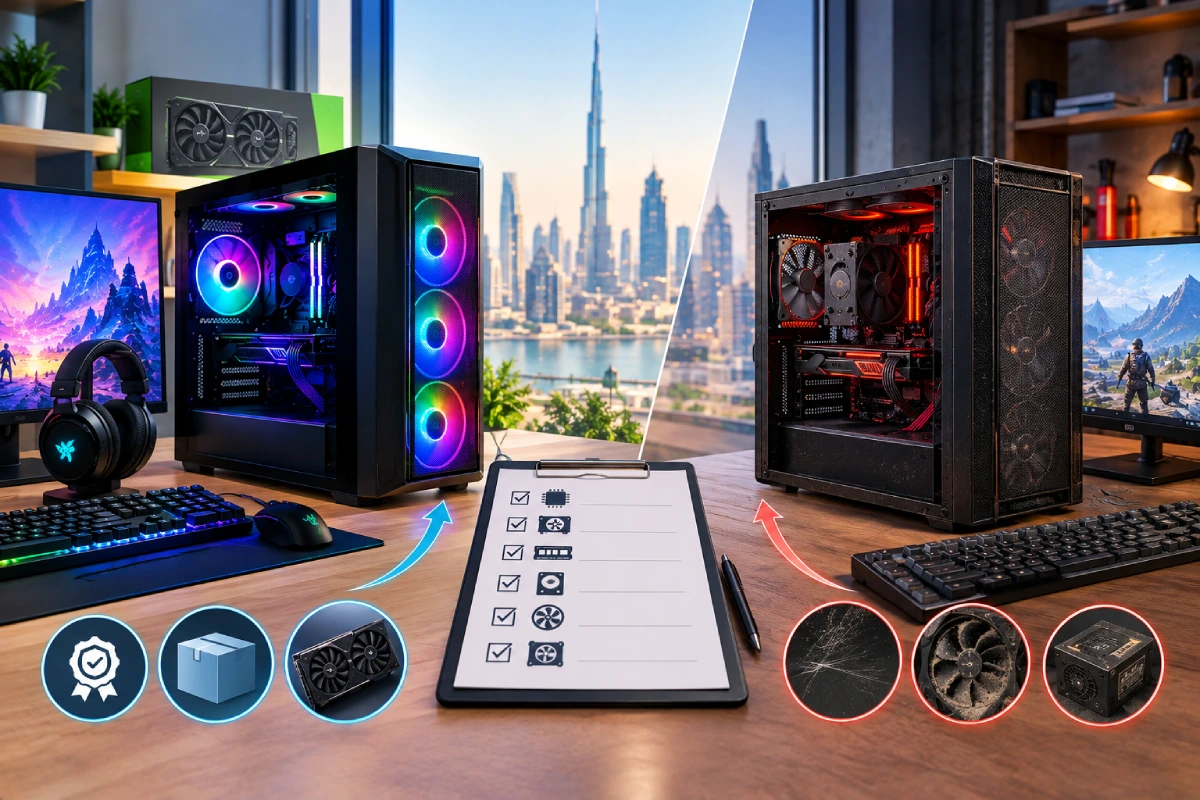
9. Use a Simple Checklist Before Buying
Before making your final decision, confirm that you can answer these questions:
- Do I know the exact CPU, GPU, RAM, storage, motherboard, and power supply models?
- Is the PC powerful enough for my games and preferred resolution?
- Have I checked the physical condition and cooling?
- Has the system been tested for stability?
- Is the warranty valid, and are its terms clear?
- Does the price leave room for accessories and future upgrades?
- Can the system be upgraded without replacing several components?
- Do I have a clear record of the purchase and the seller’s terms?
If several important answers are unclear, pause before paying. A little research can prevent an expensive mistake.
Conclusion
Choosing between a new and used gaming PC in the UAE comes down to balancing price, performance, reliability, and risk. A used computer can offer excellent value when its hardware is suitable, its condition is verified, and the price reflects its age. A new system is often preferable for buyers who value warranty coverage, predictable condition, and a simpler ownership experience.
Do not make your decision based on the graphics card or asking price alone. Check every major component, test the system where possible, understand the return and warranty terms, and consider future upgrade costs.
By comparing the complete ownership experience rather than the initial price, you can choose a gaming PC that fits your budget and delivers the experience you expect.
Frequently Asked Questions
1. Is buying a used gaming PC in the UAE worth it?
It can be, provided the components are suitable, the PC passes inspection and testing, and the price reflects its age and condition. Always account for possible repairs or upgrades.
2. Is a new gaming PC more reliable than a used one?
A new PC has no previous ownership history, which can reduce uncertainty. However, reliability still depends on component quality, assembly, cooling, and maintenance.
3. What should I check first when buying a used gaming PC?
Start with the exact CPU and GPU models, then inspect the power supply, storage, cooling, physical condition, and system stability.
4. How can I test a used gaming PC before buying?
Boot the PC, verify its components, check temperatures, test the ports, and run a suitable game or benchmark while watching for crashes, artefacts, and unusual noises.
5. Does a second-hand gaming PC come with a warranty?
Not necessarily. Ask for proof of purchase, check the warranty expiry date, and confirm whether the coverage can be transferred to you.
6. Are older graphics cards still good for gaming?
Some older cards remain capable, depending on the games, resolution, settings, and frame rate you want. Check current performance benchmarks and driver support before buying.
7. Can heat damage a gaming PC in the UAE?
Excessive operating temperatures can affect performance and component longevity. Proper airflow, functioning cooling, dust management, and a suitable indoor environment help reduce the risk.
8. Is a used gaming PC suitable for streaming?
It may be, but streaming adds workload beyond gaming. Check the processor, graphics card’s encoding capabilities, RAM, and performance in the games you intend to stream.
9. Should I buy a used gaming PC without testing it?
It is generally safer to avoid doing so. If an in-person test is not possible, request clear specifications, recent operating evidence, a written description of the condition, and clear purchase protections.
10. How do I decide between a new and used gaming PC?
Compare the total cost, hardware performance, component condition, warranty, return terms, and upgrade options. Choose the system that offers the best overall value for your needs—not simply the lowest price.