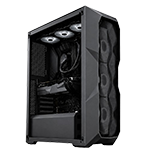
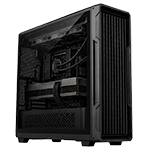
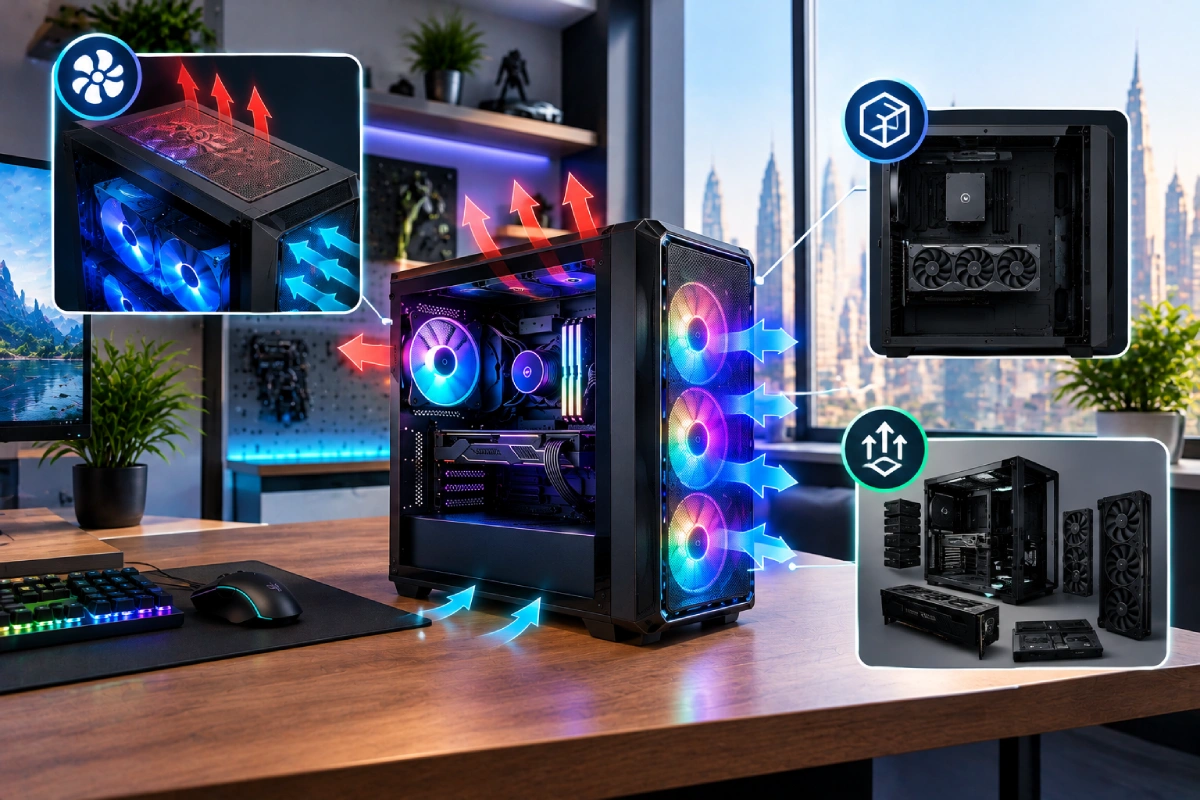
Choosing a PC case is about more than appearance. The right case protects your components, supports effective cooling, makes building and maintenance easier, and gives you room to upgrade your gaming PC in the future.
With so many options available, it can be tempting to choose a case based on its price, RGB lighting, or tempered-glass design. However, a beautiful case may not provide enough airflow for powerful hardware, while a compact model may not accommodate a large graphics card or your preferred cooling system.
Whether you are building your first gaming computer or upgrading an existing setup, understanding case size, ventilation, component compatibility, and expansion options will help you make a smarter purchase.
This guide explains what to check before choosing a PC case, helping you balance performance, practicality, appearance, and long-term value.
1. Understand Different PC Case Sizes
PC cases come in different sizes, and each offers a different balance of space, compatibility, and convenience.
Full tower: These larger cases provide generous room for components, multiple storage drives, and extensive cooling configurations. They suit enthusiasts who want flexibility for future upgrades, although they require more desk or floor space.
Mid-tower: A popular choice for gaming PCs, mid-tower cases often balance component compatibility, cooling options, and manageable dimensions. Many support standard ATX motherboards and provide sufficient room for powerful gaming hardware.
Micro-ATX cases: These are generally more compact and can be suitable for smaller rooms or desks. Check the available expansion slots, graphics card clearance, and cooling layout carefully.
Mini-ITX cases: Designed for compact builds, these cases save space but may require more careful component selection, specialised power supplies, or smaller coolers.
Remember that case-size labels are not standardised measurements. Always check the actual dimensions and supported components before purchasing.
For a more detailed comparison, read our guide to small gaming PCs vs full towers.
2. Prioritise Airflow and Ventilation
Airflow is one of the most important factors when choosing a gaming PC case. Your processor, graphics card, and other components generate heat during demanding tasks. The case must allow cool air to enter and warm air to escape effectively.
Look for a design with well-positioned intake and exhaust vents. A mesh front panel can provide a useful airflow path, while some closed-front cases may restrict intake depending on their construction.
Before buying, check:
- Where fresh air enters the case
- Where heated air exits
- How many fans are included
- Which fan sizes and mounting positions are supported
- Whether dust filters are fitted and easy to remove
- Whether the front panel restricts airflow
More fans do not automatically guarantee better cooling. Their placement, quality, speed, and the case’s internal layout all matter.
A well-designed case can help fans operate efficiently without excessive noise. This is particularly useful for gamers who spend long hours playing demanding titles.
3. Check Graphics Card and Processor Cooler Clearance
One of the most frustrating PC-building mistakes is buying a case that cannot accommodate a key component.
Modern graphics cards vary significantly in length and thickness. Before choosing a case, find the exact dimensions of your intended GPU and compare them with the manufacturer’s stated graphics card clearance.
Also consider the space required for power connectors and cables. A card may fit inside the case but leave insufficient room for its power cable to bend comfortably.
The processor cooler needs similar attention. For an air cooler, compare its height with the case’s maximum CPU cooler clearance. If you plan to use an all-in-one liquid cooler, confirm the supported radiator sizes and mounting positions.
Remember that installing a front radiator or additional fans can reduce the available space for a graphics card.
Check the specifications for your intended component arrangement rather than relying on a general statement that a case supports gaming hardware.
4. Match the Case to Your Motherboard
Your motherboard determines which case sizes and layouts are suitable for your build.
Common motherboard form factors include ATX, Micro-ATX, and Mini-ITX. A case must explicitly support your motherboard’s form factor and mounting layout.
A larger case may accommodate a smaller motherboard, but you should always confirm compatibility in the manufacturer’s specifications. Larger or non-standard boards can require additional clearance, so do not assume every model labelled E-ATX will fit every E-ATX case.
Motherboard compatibility also affects expansion. If you want multiple storage devices, additional expansion cards, or more room for cable routing, check the available slots and mounting positions.
Choosing a case that matches your motherboard today—and your realistic upgrade plans for tomorrow—can prevent unnecessary replacement costs later.
5. Consider Future Graphics Card and Power Supply Upgrades
If you expect to upgrade your graphics card in the future, choose a case with enough clearance for larger models. However, do not focus on GPU length alone. Thickness, expansion-slot space, power connector clearance, and cooling requirements can also affect compatibility.
The power supply deserves attention as well. Check the supported PSU form factor and maximum length, especially if you plan to use a high-capacity unit or a compact case.
A future graphics card may also require more power than your current one. Case selection cannot solve every power requirement, but adequate PSU space gives you more options when planning a future build.
Before purchasing, ask yourself:
- Can the case accommodate a longer or thicker graphics card?
- Is there sufficient room for the power supply and its cables?
- Will a larger cooler fit?
- Can the case support additional fans or a compatible radiator?
- Is the case practical to open and maintain during upgrades?
Planning ahead can help you avoid replacing the entire case when one component changes.
6. Make Sure There Is Enough Storage and Expansion Space
Even if you primarily play games, your storage needs may increase over time. You might want to install additional SSDs, retain a larger hard drive for files, or add expansion cards.
Check how many 2.5-inch and 3.5-inch drive mounts the case provides if you use SATA storage. If your build relies mainly on M.2 SSDs mounted directly on the motherboard, traditional drive bays may be less important.
Also consider the number of available expansion slots, cable-routing space, and access to motherboard connections.
Some compact layouts sacrifice drive mounts to create more room for graphics cards or improve airflow. That may be perfectly reasonable, provided the case suits your requirements.
Think about the components you might add over the next few years rather than choosing a case based only on the hardware you own today.
7. Choose a Case That Fits Your Room and Desk
The physical dimensions of your case matter just as much as its internal compatibility.
Measure the available area before purchasing, especially if you plan to place the computer under a desk. Leave sufficient room for ventilation, cables, cleaning, and access to ports.
A full tower can offer excellent flexibility, but it may dominate a small room. A mid-tower can be a practical middle ground, while a compact case may be ideal for a minimalist desk.
Avoid placing the PC in a tightly enclosed cabinet or pushing its ventilation panels directly against a wall.
If you are planning a complete gaming station, our guide to PC towers vs complete setups under AED 5,000 can help you consider how the computer fits into your overall budget.
8. Consider Noise, Dust Filters, and Maintenance
A good PC case should be easy to maintain. Dust can accumulate on filters, fans, and heatsinks, potentially reducing cooling efficiency and increasing fan noise.
Look for removable dust filters, accessible panels, and enough room to reach the components. Magnetic or slide-out filters can make routine cleaning more convenient.
Noise also depends on the fans, cooling hardware, component temperatures, and case construction. A larger case may offer more options for using larger, slower-spinning fans, but size alone does not guarantee quieter operation.
A case that is easy to clean and maintain can help you keep your system in good condition without turning routine maintenance into a difficult task.
9. Balance Appearance and Budget
PC cases are available in many styles, from understated designs to glass panels and elaborate RGB lighting. Choose a look you enjoy, but make sure the case meets your practical requirements first.
Consider the following features in order:
- Component compatibility
- Airflow and cooling support
- Physical dimensions
- Upgrade and storage options
- Build quality and ease of maintenance
- Appearance and lighting
If you enjoy illuminated components, make sure the case offers compatible fan mounts, lighting connections, and sufficient airflow. If you prefer a minimalist design, a non-RGB case can still look polished with tidy cables and coordinated components.
For gaming builds that balance performance and upgrade potential, explore HexTech’s Elite Series gaming PCs at AED 10,000+. Compare the available specifications and configurations with your gaming needs and budget.
10. Use a Pre-Purchase Checklist
Before ordering a case, confirm that it supports your motherboard, graphics card, CPU cooler, power supply, and storage devices. Check its external dimensions and ensure that your planned fan or radiator layout will fit.
Review the manufacturer’s specifications for the exact model and revision. Product photos alone cannot confirm compatibility.
A little planning now can save you from unexpected clearance issues, unnecessary returns, and expensive component changes later.
Conclusion
The best PC case combines good airflow, sufficient space, reliable component compatibility, and room for future expansion. A mid-tower is a practical choice for many gaming builds, while compact cases suit space-conscious users and full towers offer additional flexibility for enthusiasts.
Prioritise cooling and component fit before choosing decorative features. Measure your available space, confirm upgrade compatibility, and consider how easy the case will be to clean and maintain.
To compare gaming systems and explore available configurations, visit the HexTech Computer. A well-chosen case can support a cleaner build today and make future upgrades much easier.
Frequently Asked Questions
Which PC case size is best for gaming?
A mid-tower is a practical choice for many gaming PCs because it often balances cooling, component compatibility, and space. The best size depends on your hardware and available room.
Does a bigger PC case provide better airflow?
Not automatically. Airflow depends on ventilation, fan placement, internal layout, and component clearance. A well-designed compact case can cool effectively.
How do I know if my graphics card will fit?
Check the exact graphics card dimensions and compare them with the case’s maximum GPU clearance. Also allow room for power connectors and cables.
Is a mesh front panel better than a glass front?
A mesh front often allows more direct airflow, but the result depends on the case design. Compare ventilation, included fans, and cooling reviews before choosing.
Can a Micro-ATX motherboard fit in an ATX case?
Often, yes, but check the manufacturer’s supported motherboard form factors for the exact case. Never rely on size assumptions alone.
Should I buy a case with pre-installed fans?
Pre-installed fans can save money and simplify installation. Check their number, placement, quality, and whether the layout provides sufficient cooling for your hardware.
How much space should I leave around my PC case?
Leave enough room for the intake and exhaust vents, cables, and routine maintenance. Follow the case manufacturer’s recommendations and avoid blocking ventilation.
Is a full tower better for future upgrades?
A full tower often provides more room for large graphics cards, cooling systems, and storage devices. However, verify the exact specifications because not every full tower supports every component.
Do I need RGB lighting in my PC case?
No. RGB lighting is an optional aesthetic feature. Prioritise component compatibility, airflow, and build quality before spending extra on lighting.
How often should I clean my PC case?
Inspect the dust filters regularly and clean them when dust accumulates. The ideal schedule depends on your room, PC placement, and local dust conditions.