
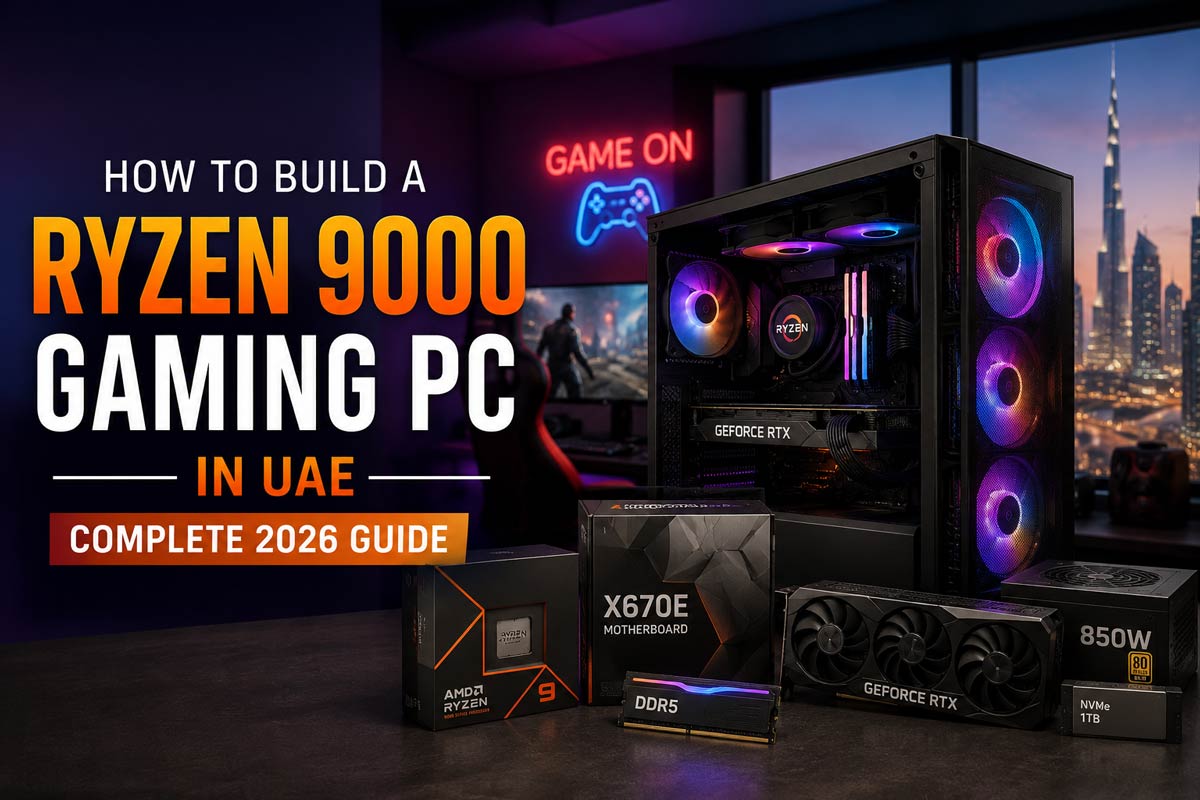
Building a gaming PC around an AMD Ryzen 9000 Series processor gives gamers a powerful platform for competitive gaming, 1440p performance, 4K gaming, streaming and content creation. But choosing the processor is only the beginning. Your graphics card, motherboard, DDR5 memory, cooling, storage and power supply all need to work together to create a balanced gaming system.
For gamers in the UAE, cooling, airflow and component selection are particularly important when building a powerful PC intended for long gaming sessions.
In this guide, Hextech Computer Trading LLC explains how to plan a Ryzen 9000 gaming PC and choose components according to your gaming resolution, performance target and budget.
If you are ready to explore complete systems, see our Gaming PC Ryzen 9000 Series range.
What Is the AMD Ryzen 9000 Series?
AMD Ryzen 9000 desktop processors are based on the company’s Zen 5 architecture and use the AM5 desktop platform. The mainstream Ryzen 9000 family includes processors ranging from the Ryzen 5 9600X through Ryzen 7 and Ryzen 9 models, giving PC builders different options depending on gaming and productivity requirements.
For example, AMD lists the Ryzen 5 9600X with 6 cores and 12 threads, the Ryzen 7 9700X with 8 cores and 16 threads, the Ryzen 9 9900X with 12 cores and 24 threads, and the Ryzen 9 9950X with 16 cores and 32 threads.
AMD also offers Ryzen 9000 X3D processors aimed strongly at gaming and enthusiast systems.
This broad selection means you can build anything from a balanced mid-range gaming computer to a powerful gaming, streaming and content-creation workstation using the same overall Ryzen 9000 platform.
Why Build a Ryzen 9000 Gaming PC?
A good gaming PC should deliver more than impressive specifications on paper. It should provide responsive gameplay, consistent frame rates, suitable temperatures, fast storage and enough upgrade flexibility to remain useful as your gaming requirements change.
The Ryzen 9000 platform gives builders access to modern DDR5 memory and the AM5 ecosystem while offering processor options for several performance levels. AMD also supports technologies including Precision Boost Overdrive and EXPO memory profiles on applicable processors and configurations.
The important part is choosing the right Ryzen processor for the rest of your system.
Step 1: Choose the Right Ryzen 9000 Processor
Do not select your CPU simply because it is the most expensive model available.
Your ideal processor depends on your graphics card, monitor resolution, refresh rate, games and other workloads.
Ryzen 5 9600X – Balanced Gaming Builds
The Ryzen 5 9600X offers 6 cores, 12 threads and boost speeds of up to 5.4 GHz according to AMD’s specifications.
It can be a strong foundation for a gaming PC where the goal is to maintain a sensible overall budget and allocate sufficient money to the graphics card.
A Ryzen 5 configuration is particularly worth considering for esports, mainstream 1080p gaming and balanced 1440p systems.
Hextech currently offers Ryzen 5 9600X gaming configurations in its Gaming PC collection, demonstrating how the processor can be paired with a modern NVIDIA graphics card in a complete system.
Ryzen 7 – More Gaming Headroom
Ryzen 7 processors move into a higher performance class and can be attractive for gamers who want additional processing headroom.
They are suitable for gaming systems that also need to handle streaming, recording, Discord, browsers and background applications without compromising the overall experience.
For serious gaming-focused builds, Ryzen 9000 X3D processors should also be considered because AMD’s 3D V-Cache technology is specifically relevant to gaming workloads.
Ryzen 9 – Gaming and Heavy Productivity
Ryzen 9 is aimed at users who want substantial multi-core performance alongside gaming.
AMD lists the Ryzen 9 9900X with 12 cores and 24 threads and the Ryzen 9 9950X with 16 cores and 32 threads. The 9950X can boost up to 5.7 GHz under appropriate conditions.
A Ryzen 9 gaming PC makes more sense when your computer will also be used for demanding applications such as video editing, 3D rendering, software development, game development or professional content creation.
If your only goal is gaming, however, you should compare the complete system rather than assuming that more CPU cores automatically produce a better gaming PC.
Step 2: Match the Graphics Card to Your Gaming Resolution
The graphics card is one of the most important components in a gaming PC.
The correct GPU depends heavily on your gaming resolution and desired frame rate.
For a 1080p competitive setup, you may prefer to prioritise high frame rates and responsiveness.
At 1440p, both image quality and GPU performance become increasingly important.
For 4K gaming, a powerful graphics card becomes a much larger part of the total system requirement.
Hextech’s current Gaming PC catalogue demonstrates this approach with Ryzen systems paired with different NVIDIA GeForce RTX GPUs according to the overall performance tier. Current listings include combinations such as Ryzen 5 9600X with RTX 5060 Ti, Ryzen 7 9700X with RTX 5070, and high-end Ryzen 9 9950X3D systems using RTX 5080 graphics.
The objective should always be balance.
Installing an extremely powerful CPU with a significantly weaker GPU may not give you the best gaming performance for your budget. Likewise, placing a premium graphics card into a poorly balanced system can restrict the experience in CPU-intensive or high-refresh-rate scenarios.
Step 3: Select a Compatible AM5 Motherboard
Ryzen 9000 desktop processors use AMD’s AM5 platform.
Your motherboard determines much more than whether the CPU physically fits. It can affect memory support, storage expansion, networking, USB connectivity, PCIe options and future upgrades.
For a gaming PC, consider the features you genuinely need rather than paying for motherboard features you may never use.
A quality motherboard with sufficient power delivery, M.2 storage slots, suitable USB connectivity and networking can provide a strong foundation for a long-term gaming build.
Always confirm processor, motherboard and BIOS compatibility before purchasing components.
Step 4: Use the Right DDR5 Memory
Modern Ryzen desktop platforms use DDR5 memory, and choosing a suitable memory configuration can help create a responsive system. AMD maintains a compatibility list for DDR5 kits tested with Ryzen processors and identifies kits supporting AMD EXPO memory profiles.
For a modern gaming PC, 32GB DDR5 is an excellent target for many users.
It provides enough capacity for modern gaming while leaving additional room for browsers, Discord, launchers, streaming software and everyday multitasking.
Users who combine gaming with professional editing, rendering or other memory-intensive applications may prefer 64GB or more.
Memory capacity is not the only consideration. Frequency, timings, motherboard compatibility and whether the memory kit is configured correctly also matter.
Step 5: Install Fast NVMe SSD Storage
Gaming PCs increasingly depend on fast SSD storage.
An NVMe SSD improves system responsiveness and helps reduce loading times compared with traditional hard drives.
A 1TB NVMe SSD can be suitable as a starting point, but modern game libraries can consume storage surprisingly quickly.
Gamers who install many AAA games may therefore prefer 2TB or additional SSD capacity.
A useful approach is to install Windows, applications and your frequently played games on the primary NVMe drive while keeping expansion options available for additional storage later.
Step 6: Don’t Ignore CPU Cooling
Cooling deserves careful attention in any gaming PC.
High-performance processors adjust their operating behaviour according to workload, temperature and available power, making suitable cooling important for maintaining stable performance.
AMD provides guidance and compatibility information for desktop CPU cooling solutions, and higher-performance processors may require more substantial cooling than mainstream models.
Depending on your Ryzen CPU and PC case, this could mean using a quality tower air cooler or an appropriate liquid cooling solution.
Cooling becomes even more important when the system uses a powerful graphics card that also releases significant heat inside the case.
For UAE gamers, good airflow is especially worth considering because room temperature and PC placement can affect how effectively the cooling system removes heat.
A premium processor and GPU should not be installed inside a case with inadequate airflow.
Step 7: Choose a Quality Power Supply
The power supply is one component where cutting costs can create problems later.
Your PSU needs sufficient capacity for the CPU, graphics card and other components while leaving reasonable headroom.
GPU power requirements vary significantly between models, so PSU selection should be based on the exact configuration rather than the processor alone.
A high-end Ryzen gaming PC with a premium graphics card will naturally require a more capable power supply than a mid-range system.
Quality, efficiency, connector compatibility and the manufacturer’s recommended GPU power requirements should all be considered.
Step 8: Plan the Case and Airflow
Gaming cases are often selected for appearance, but airflow should be equally important.
A powerful Ryzen gaming PC can include a high-performance CPU, large graphics card, multiple NVMe drives and potentially a liquid cooling radiator.
Before buying a case, check GPU clearance, CPU cooler height, radiator compatibility, fan positions and cable-management space.
Good airflow usually involves bringing cool air into the case while allowing heated air to escape efficiently.
RGB lighting can make a build look impressive, but lighting should complement good thermal design rather than replace it.
Ryzen 9000 for 1080p Gaming
A well-balanced Ryzen 9000 gaming PC can be excellent for competitive 1080p gaming.
At high refresh rates, games may place increased demands on the processor, so CPU performance can become particularly relevant.
A Ryzen 5 or Ryzen 7 configuration combined with an appropriately selected GPU can provide an effective foundation for games such as Counter-Strike 2, Valorant, Fortnite, Call of Duty and other competitive titles.
The correct configuration should ultimately be based on your monitor refresh rate and desired game settings.
Ryzen 9000 for 1440p Gaming
1440p is an attractive resolution for gamers looking for a balance between image quality and high frame rates.
At this resolution, GPU selection becomes increasingly important.
A Ryzen 7 gaming system paired with a suitable modern graphics card can provide an excellent 1440p setup, while higher-end configurations offer additional headroom for high-refresh-rate monitors and demanding AAA games.
Ryzen 9000 for 4K Gaming
For 4K gaming, your graphics card usually becomes one of the largest performance considerations.
This means spending every available dirham on the CPU may not produce the best complete gaming system.
A properly selected Ryzen processor combined with a stronger graphics card, sufficient memory and effective cooling can be a smarter allocation of the total budget.
High-end Ryzen 9000 and Ryzen 9000 X3D configurations become particularly attractive when the same PC will be used for gaming, streaming and professional workloads.
Hextech currently lists Ryzen 9 9950X3D systems paired with RTX 5080 graphics for high-end gaming and creation workloads.
Ryzen 9000 Gaming PC for Streaming
Streaming changes the requirements of your PC because gaming is no longer the only workload.
Your machine may simultaneously be running your game, streaming software, voice chat, browser windows, monitoring applications and recording tools.
Ryzen 7 and Ryzen 9 systems provide additional processing capacity for users who frequently multitask.
The graphics card also matters because modern GPU encoding capabilities can play an important role in a gaming and streaming configuration.
Instead of selecting components independently, design the entire PC around the workflow you actually use.
Ryzen 9000 Gaming PC for Content Creators
A Ryzen gaming PC can also become a powerful creation system.
Higher-core-count Ryzen processors are particularly relevant when workloads extend beyond gaming into video editing, rendering, development and other multi-threaded applications.
This is where Ryzen 9 becomes especially attractive.
A user who games in the evening but edits 4K video or renders projects during the day may benefit more from a Ryzen 9 configuration than someone building a machine exclusively for gaming.
Should You Choose Ryzen 9000 X3D?
For gaming-focused premium builds, Ryzen X3D processors deserve serious consideration.
AMD’s current Ryzen desktop portfolio includes multiple Ryzen 9000 X3D models using 3D V-Cache technology.
The right choice still depends on the complete system.
A gaming-first buyer may prioritise an X3D processor, while someone performing significant multi-core professional work may choose a different processor according to their applications and budget.
Before purchasing, compare the CPU together with your intended GPU, resolution and non-gaming workloads.
Can You Upgrade a Ryzen 9000 Gaming PC Later?
One advantage of building a custom PC is the ability to plan for future upgrades.
Selecting a good motherboard, quality power supply, capable cooling, appropriate case and sufficient storage expansion can make future upgrades easier.
You might later add more RAM, install additional NVMe storage or upgrade your graphics card without replacing the entire computer.
This is another reason why a balanced build is better than spending the entire budget on one headline component.
Prebuilt or Custom Ryzen 9000 Gaming PC?
A preconfigured gaming PC is convenient because the components have already been selected for you.
A custom system gives you more control over the CPU, graphics card, memory, storage, case, cooling and visual appearance.
Hextech provides both Gaming PC options and an online Build Your Own PC configurator where users can select the processor, motherboard, RAM, graphics card and storage components for their system.
This can be particularly useful if you already know your preferred CPU or GPU and want the rest of the system configured around it.
How Much Should You Spend on a Ryzen 9000 Gaming PC?
There is no single correct budget.
The amount you should spend depends primarily on your gaming resolution, monitor refresh rate, games, GPU expectations and whether you also use the PC for professional work.
Rather than asking which CPU is the most powerful, start with three questions:
What games will you play?
What resolution and refresh rate is your monitor?
What else will you use the PC for besides gaming?
Those answers make it much easier to allocate your budget sensibly between the processor, graphics card and supporting components.
Build a Balanced Ryzen 9000 Gaming PC
The best Ryzen 9000 gaming PC is not necessarily the system with the most expensive processor or graphics card.
It is the machine where the CPU, GPU, RAM, storage, cooling, motherboard, power supply and display all work together to meet your performance target.
A Ryzen 5 configuration can provide an excellent foundation for a balanced gaming system. Ryzen 7 can deliver additional gaming and multitasking headroom, while Ryzen 9 becomes particularly valuable for users combining high-end gaming with demanding productivity and content creation.
If you are unsure which configuration is right for you, Hextech Computer Trading LLC can help you select compatible components according to your games, monitor, performance requirements and overall budget.
Explore our Gaming PC Ryzen 9000 Series systems or configure your own AMD gaming PC with Hextech Computer in the UAE.
Frequently Asked Questions
Is Ryzen 9000 good for gaming?
Yes. AMD Ryzen 9000 desktop processors provide a modern Zen 5-based platform with options ranging from Ryzen 5 through Ryzen 9 and X3D processors. The best model depends on your graphics card, resolution, target frame rate and additional workloads.
Which Ryzen 9000 processor should I use for a gaming PC?
Ryzen 5 can provide an excellent foundation for balanced mainstream builds, Ryzen 7 is suitable for higher-performance gaming and multitasking, and Ryzen 9 is especially useful when gaming is combined with demanding productivity workloads. Gaming-focused users should also consider Ryzen X3D options.
Is 32GB RAM enough for a Ryzen 9000 gaming PC?
For many modern gaming systems, 32GB DDR5 provides a strong balance between gaming capacity and multitasking. Heavier professional workloads may benefit from 64GB or more.
Is Ryzen 9000 good for 1440p gaming?
Yes. A Ryzen 9000 processor paired with an appropriate graphics card can form an excellent 1440p gaming system. GPU selection and monitor refresh rate should be considered alongside CPU choice.
Is Ryzen 9000 suitable for 4K gaming?
Yes. At 4K, choosing a powerful graphics card is particularly important. A balanced Ryzen 9000 gaming PC should allocate the budget across the CPU, GPU, cooling and supporting components instead of focusing exclusively on processor performance.
Does Ryzen 9000 use DDR5?
Yes. Ryzen 9000 desktop processors use AMD’s modern AM5 desktop platform with DDR5 memory support.
Can I build my own Ryzen gaming PC at Hextech Computer?
Yes. Hextech’s Build Your Own PC page allows customers to configure key components including the processor, motherboard, RAM, graphics card and storage.
Where can I buy a Ryzen 9000 Gaming PC in UAE?
Hextech Computer Trading LLC offers Gaming PCs and custom PC configuration options in the UAE, including current systems using Ryzen 9000-series processors.
Leave a comment